Transform Your CV: The Resume CV Keynote Template for Modern Job Seekers
A Fresh Take on the Traditional Resume
Gone are the days when a simple Word document was enough to land an interview. In competitive creative fields—whether you are in web design, fashion, or photography—your CV needs to do more than just list dates and job titles. It needs to tell a story. The Resume CV Keynote Template offers a dynamic alternative to the static PDF. Instead of a flat piece of paper, you are presenting a slide-based narrative that captures attention immediately.
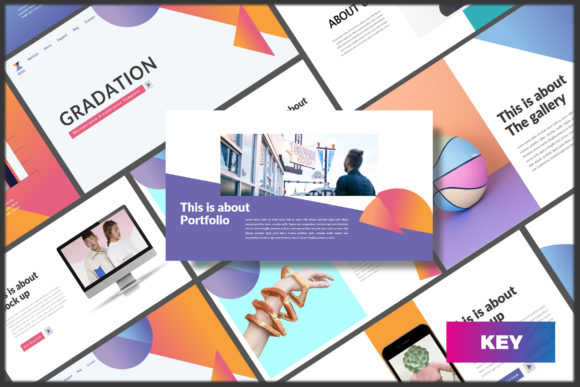
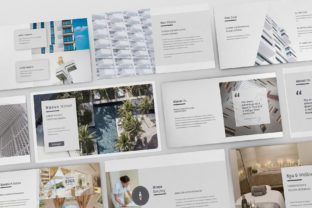
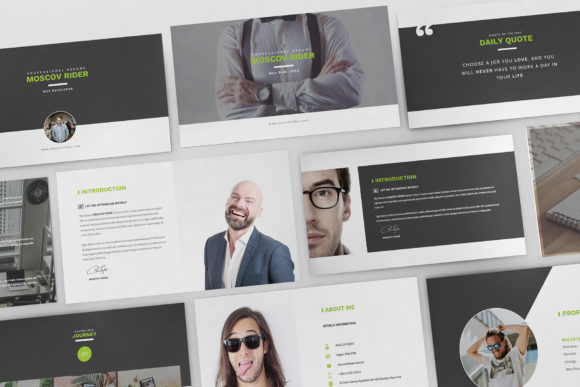
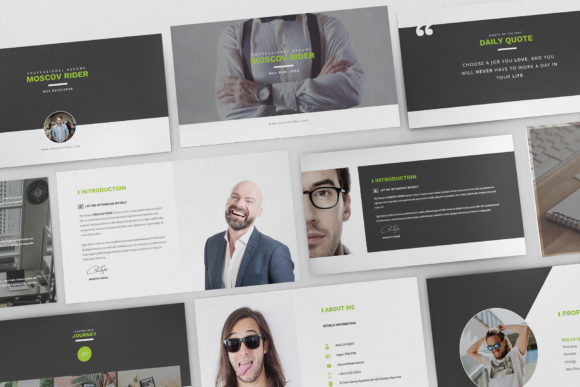
This template is built on a foundation of modern typography and minimalist design. It avoids the clutter that often plagues professional documents. By utilizing a flat design aesthetic, it ensures that your content remains the hero. The visual style is clean and crisp, utilizing plenty of white space to let your achievements breathe. It feels professional yet approachable, striking a balance that appeals to both corporate agencies and independent startups.
Who Should Use This Presentation Style?
While a traditional paper CV works for many industries, the Resume CV Keynote Template is specifically engineered for visual thinkers. If you work in a sector where your portfolio is your currency, this format makes sense.
- Creative Agencies & Designers: Showcasing your layout skills right in your application.
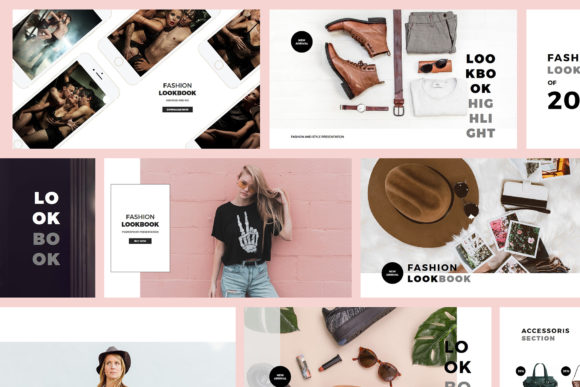
- Fashion & Modeling: Utilizing the mockup devices and image placeholders to display lookbooks alongside your experience.
- Photographers & Artists: Creating a visual narrative that standard text documents cannot support.
- Marketers & Brand Strategists: Demonstrating your understanding of visual hierarchy and brand identity from the first click.
If your work involves visual output, presenting your CV in Keynote allows you to apply the same principles of editorial design and packaging design to your personal brand. It signals to the employer that you care about presentation, a crucial trait in these industries.
Practical Features for a Pain-Free Workflow
One of the biggest hurdles with creative CVs is the time required to build them. This template removes that barrier. It comes with 30 unique slides, giving you a robust framework that fits both widescreen and 16:9 sizes. You do not need to be a Keynote wizard to use it; the layouts are based on Master Slides, meaning you can change fonts, colors, and formatting globally with just a few clicks.
The inclusion of fully animated slides adds a layer of polish. Subtle transitions can guide the viewer's eye through your career history, making the reading experience engaging rather than passive. Furthermore, the template includes resizable vector elements and infographics. This is incredibly useful for visualizing data, such as skill proficiency levels or project timelines, without needing external design software.
For those concerned about compatibility and final output, the package includes Retina and Full HD support. This ensures that whether you are presenting live on a screen or sending a digital file, the resolution remains pixel-perfect. You can easily save the final presentation as a PDF, maintaining the progressive design while ensuring it is readable on any device.
Design Consistency and Brand Identity
A strong brand identity is not just for companies; it is for individuals, too. The Resume CV Keynote Template acts as a vessel for your personal brand. Because it uses free fonts and object placeholders, you have total control over the aesthetic.
You can choose a sans serif font for a clean, tech-forward look, or perhaps pair it with a serif font for a more editorial, sophisticated vibe. The template’s structure ensures that your font pairing remains consistent across all 30 slides. This consistency builds recognition. When a hiring manager flips through your slides, they should feel a cohesive visual language that represents your style.
Moreover, the print-ready nature of the file means you aren't limited to digital. If you land an in-person interview, you can print your slides to create a physical leave-behind that feels substantial and high-quality. The documentation provided with the download also offers guidance, ensuring that even those new to presentation design can navigate the features confidently.
Standing Out Without Overdoing It
The goal of a creative CV is to stand out, but there is a fine line between "creative" and "chaotic." This template leans toward professional minimalism. It uses design assets strategically—like icons for contact information or skills—to improve readability rather than distract from it.
Think of this template as a tool for web design principles applied to a document. It focuses on user experience (the recruiter's experience). By organizing information into digestible chunks across multiple slides, you prevent the "wall of text" effect that causes recruiters to skim and miss key details.
Ultimately, the Resume CV Keynote Template